
How to Create a Professional Business Page Without Coding
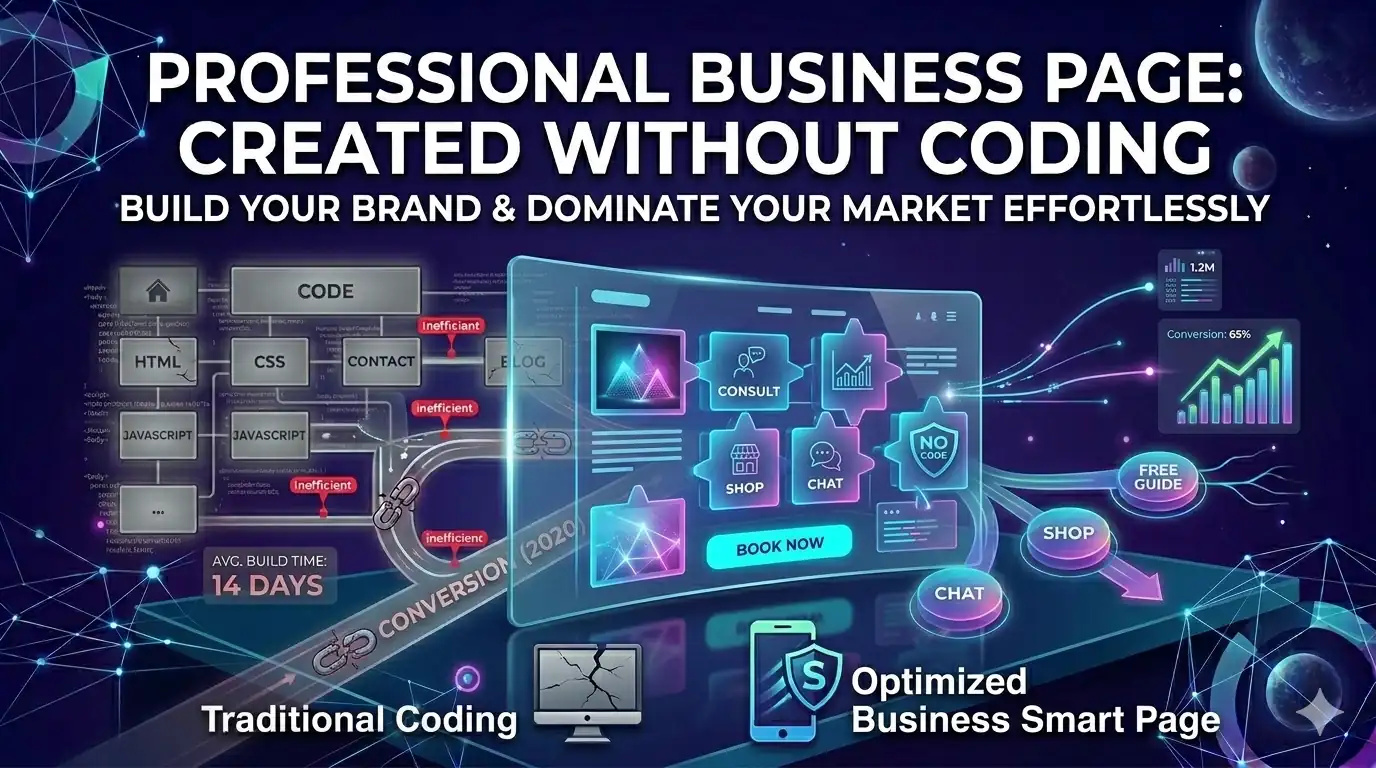
Modern businesses no longer need expensive developers or bloated website builders to launch online. Here’s how to create a professional business page without coding in 2026.
Anita R.
May 2026 · Updated regularly · 9 min read
Building a business website used to feel complicated
For years, creating a professional online presence usually meant:
- hiring developers
- buying hosting
- installing themes
- managing plugins
- learning WordPress
And honestly?
Most small businesses hated the process.
It was expensive.
Slow.
And often far more technical than it needed to be.
But modern website publishing changed dramatically.
In 2026, businesses increasingly use no-code Smart Page builders instead of traditional website systems.
What is a no-code business page?
A no-code business page is a professional web page you can build visually without writing code.
Instead of programming layouts manually, you simply:
- add blocks
- edit text
- upload images
- customize colours
- publish instantly
The process is dramatically faster than traditional web development.
And for most businesses?
It's more than enough.
Most businesses don't actually need huge websites
This is something many people realized recently.
Especially smaller businesses.
Most customers only care about a few things:
- what you offer
- why they should trust you
- how to contact you
- how to buy or book
That's it.
They don't necessarily want:
- complex navigation
- 20-page websites
- endless menus
- heavy animations
Modern visitors prefer fast, focused experiences.
That's exactly why Smart Pages became so popular.
Why no-code builders are exploding in popularity
Businesses increasingly want speed.
Not technical complexity.
No-code builders allow users to:
- launch pages quickly
- edit visually
- avoid developers
- publish instantly
- manage campaigns themselves
This is especially useful for:
- freelancers
- small businesses
- agencies
- coaches
- consultants
- creators
because they need flexibility without technical overhead.
What makes a modern business page effective?
The best business pages are usually simple.
They focus heavily on:
- clear messaging
- strong headlines
- social proof
- calls-to-action
- mobile optimization
Instead of overwhelming visitors.
Modern Smart Pages are built specifically around conversion-focused layouts.
Not just aesthetics.
Essential sections every business page should include
A good business page usually includes:
- hero section
- headline
- service explanation
- features or benefits
- testimonials
- FAQ section
- contact form
- CTA buttons
This structure helps guide visitors toward action.
And it works extremely well for modern mobile traffic.
Mobile-first design matters more than ever
Most business traffic now comes from phones.
Not desktop computers.
That means pages need to:
- load fast
- look clean on mobile
- highlight important information quickly
- reduce scrolling friction
Traditional websites often struggle with this.
Modern Smart Page builders are designed around mobile-first experiences from the beginning.
Why one-page business sites convert so well
One-page business sites remove distractions.
Instead of sending users across multiple pages, they keep everything focused inside one clear flow.
Usually something like:
- problem
- solution
- proof
- CTA
That simplicity improves conversions significantly.
Especially for campaigns and social traffic.
Modern businesses also need built-in analytics
Publishing pages is no longer enough.
Businesses increasingly want to track:
- page views
- CTA clicks
- form submissions
- traffic sources
- conversion rates
because data helps optimize campaigns.
That's why modern Smart Page platforms now include analytics directly inside the builder.
What makes SmartPages by Alshorty different?
SmartPages by Alshorty focuses on lightweight, conversion-focused page building.
Instead of overwhelming users with complicated site management, it provides:
- drag-and-drop blocks
- mobile-first layouts
- countdown timers
- lead forms
- testimonials
- FAQ sections
- analytics
- SEO settings
- tracking pixels
inside one simple workflow.
Users can build:
- business pages
- landing pages
- product pages
- service pages
- campaign pages
without touching code.
Why businesses are moving away from traditional builders
Traditional website builders still work.
But many businesses now feel they are:
- too bloated
- too slow
- too expensive
- too complex
Especially for simple business needs.
Modern users increasingly prefer:
- speed
- simplicity
- conversion tools
- fast publishing
instead of managing huge websites.
The future of business websites is not bigger websites. It's smarter, faster pages that convert better.
Create your business page free
SmartPages · Forms · Analytics · Mobile-first design · No coding required
Build your SmartPage →No-code websites are becoming the default
The internet is shifting toward simpler publishing systems.
Modern businesses increasingly care about:
- launch speed
- conversion performance
- mobile optimization
- easy editing
not technical complexity.
That's why no-code Smart Pages are quickly replacing older website workflows for modern businesses.
Frequently asked questions
What is a no-code business page?
A no-code business page is a professional web page built visually without writing code — you add blocks, edit text, upload images, and publish instantly, instead of hiring a developer or installing WordPress themes and plugins.
Do small businesses really need a full website?
Often no. Most customers only care about what you offer, why to trust you, and how to contact or buy — a focused one-page business page covers that without the complexity of a multi-page traditional website.
What sections should a business page include?
A hero section, a clear service explanation, features or benefits, testimonials, an FAQ section, a contact form, and CTA buttons — structured to guide visitors toward one clear action.
This guide is part of the Alshorty blog, where we cover URL shortening, Link-in-Bio pages, SmartPages, analytics, QR codes, and marketing strategies. Explore our free tools: UTM Builder, QR Generator, Link Checker, Link-in-Bio builder, and SmartPages builder.
Try Alshorty for free
Build conversion-ready SmartPages with blocks, analytics, forms, and custom branding — no code required.